First, access the Active Directory Administrative Center. Run it as your DAA.

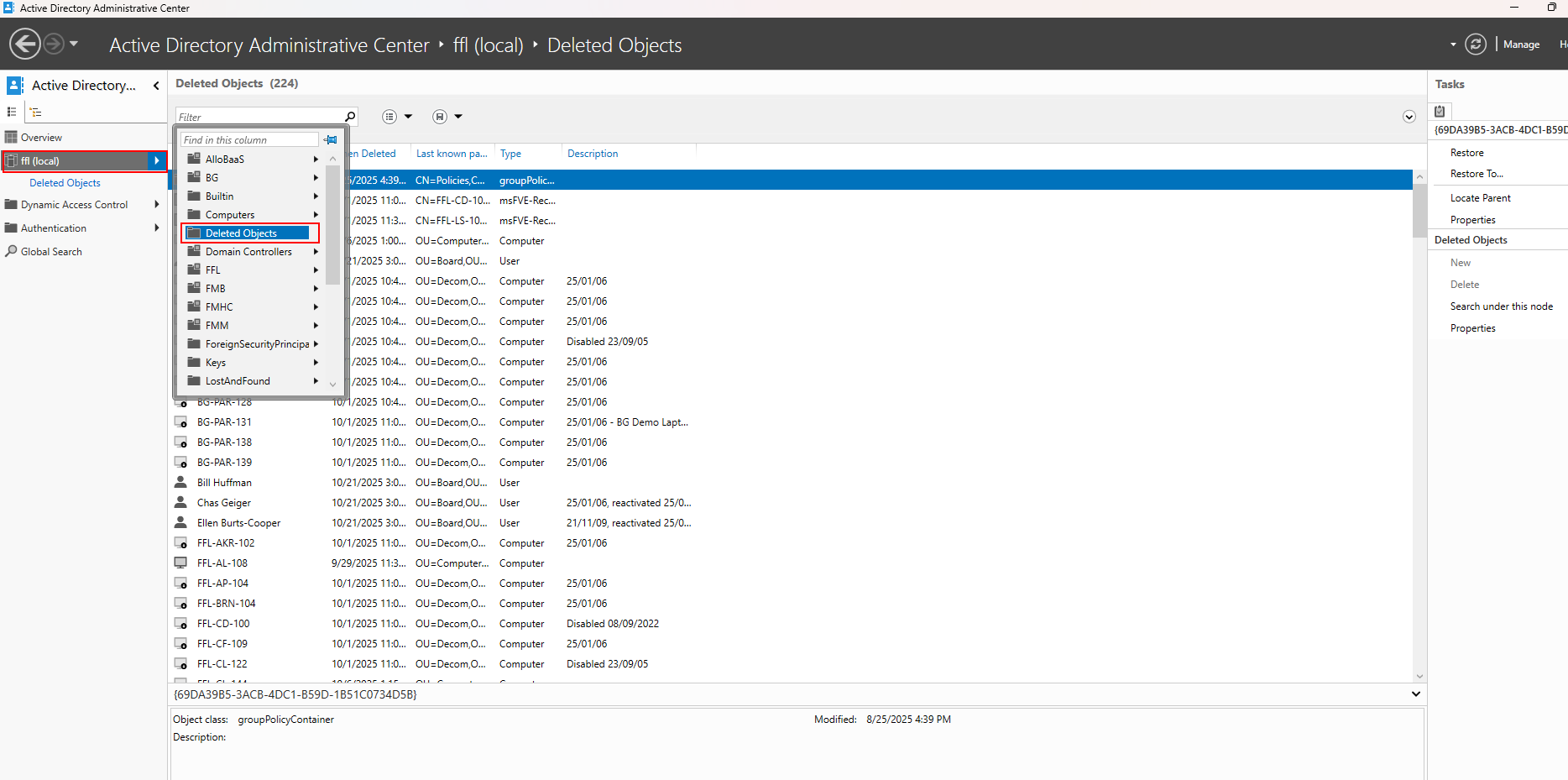
Once open, on the left pane, select ffl(local) drop down, then select deleted objects.
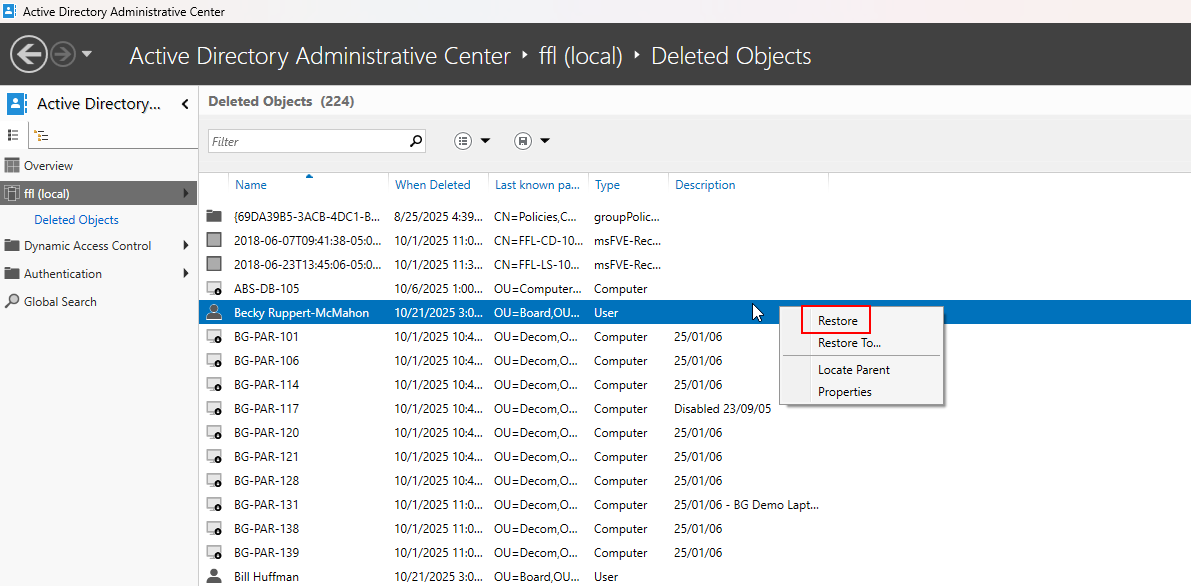
At this stage, you can now select a user or a computer to restore. Right click the object as shown below. If you want it in the same OU it was before (most likely) just click restore. However, there is a option to restore it to a different location.
In the case that you restore a user, there will most likely be an issue with o365 login. DO NOT restore in o365 users. Make it easier on yourself and force replication to keep the same licenses, settings, etc.
See here: https://fmhc.freshdesk.com/support/solutions/articles/47000949203-force-replication-in-o365
Was this article helpful?
That’s Great!
Thank you for your feedback
Sorry! We couldn't be helpful
Thank you for your feedback
Feedback sent
We appreciate your effort and will try to fix the article