Per Chris Herbert, it is preferred to install Microsoft Office (O365 ProPlus / Apps for Enterprise) through Software Center.
If the option to install Office does not appear in Software Center for some reason, it can be installed manually. Any installers in G:\IT\Apps should no longer be used.
Current installers may be found here: \\wlkwsccm02\Applications
The "Office 365 Installer" folder should be copied to the local machine where Office needs to be installed. (Verify that there is a configuration.xml file in this folder.) Running setup.exe, even as admin, may result in the following error message:
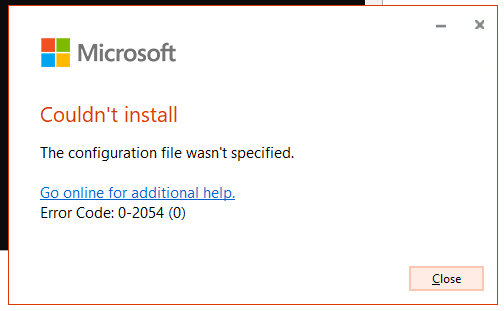
To get around this, open Command Prompt as admin. Change the directory to the path of the copied folder (e.g. C:\Users\phil lardeaux-daa\Desktop\Office 365 Installer).
Then, enter the following command: setup.exe /configure "C:\Users\(you)\Desktop\Office 365 Installer\configuration.xml"
This should allow the installation to proceed.
Was this article helpful?
That’s Great!
Thank you for your feedback
Sorry! We couldn't be helpful
Thank you for your feedback
Feedback sent
We appreciate your effort and will try to fix the article