Upon logging into any SAF server, you may encounter the following DB2 UDB SQL5005C error:
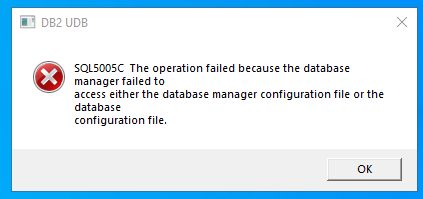
This is a normal warning to see when you are not logging into the SAF server as the db2admin account.
After setting up a new Store and Forward (SAF) server for Fiserv Cleartouch Teller Source Capture, you may run into the following error message in CT Teller when attempting to open a transaction:
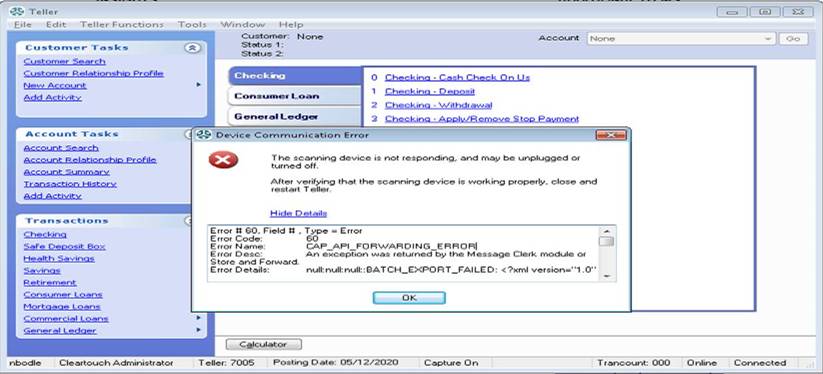
What usually causes this error (API_Forwarding_Error) is not a scanner issue, but a missing file on the SAF server.
On the new SAF server, navigate to this directory: C:\Program Files\Carreker\Store and Forward\commonProperties
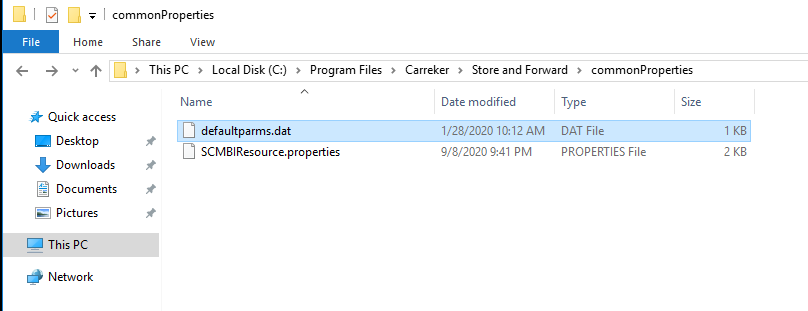
Make sure you see a defaultparms.dat file in that folder. If you do not, this is likely the issue. Copy that file from the same directory on a different SAF server FOR THE SAME BANK, then stop & start the services using the desktop shortcuts on the server.
Try the transaction again and it should proceed to the TSC scan screen in CT Teller.
If you receive a red error in the transaction window, "Unable to successfully load sort table for financial institution #####," check the following file: C:\Program Files\Carreker\IWS\SortPattern\properties\ITI.properties - check to see what the value is for DPP1954InstNumAttributeName.
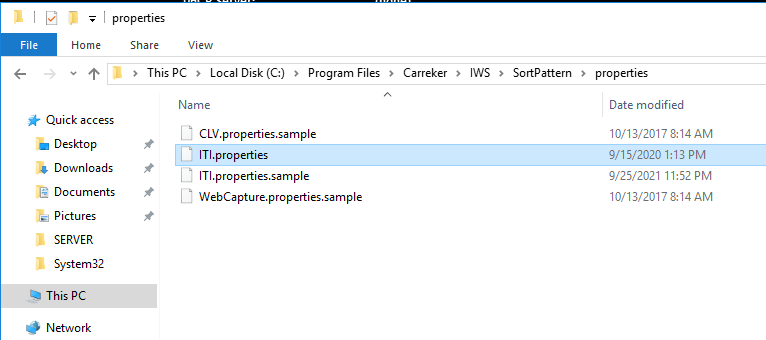
For three-digit banks (like FFL = 110 and FMB = 052), the value must equal RptInstNum, the reporting institution number.
For five-digit banks, like the ones below, the value must equal InstNum. This will set it to look for a five-digit institution number instead of three digits. As of 2025, Fiserv typically sets new institutions (or banks that start using Teller Capture) to five digits. Full CT bank numbers:
- Blue Grass Federal - 25123
- Warsaw Federal - 25010
- Martinsville First - 25277
After making the change in that file, restart the services on the SAF server, then restart CT on the workstation and try a transaction (Checking Withdrawal or Checking Deposit) again.
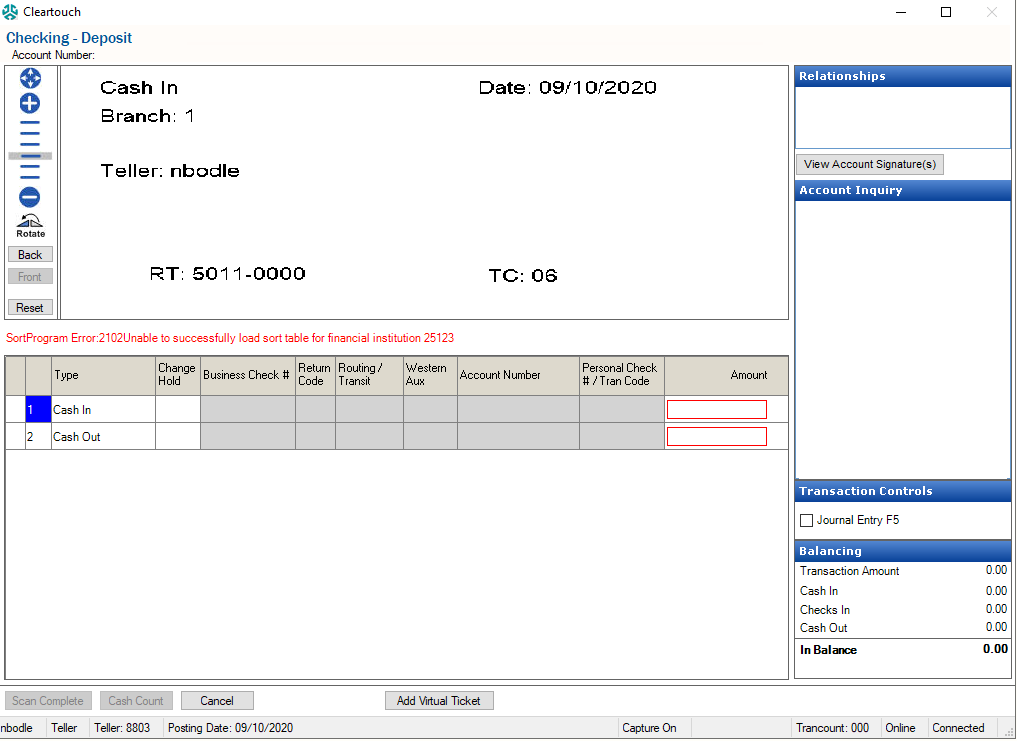
If the above SortProgram error message still appears, make sure the following:
- DPP1954InstNumAttributeName is set properly in ITI.properties (InstNum vs. RptInstNum).
- The serviceEndpoint URL for SCO is set correctly in the ApplicationResource.properties file.
- FFL: //teller.fiservsco.com/scmbi/services/messageService
- Warsaw: //teller.fiservsco.com/scmbi/services/messageService
- FMB: //teller-sco2.fiservsco.com/scmbi/services/messageService
- MFSB: //teller-sco2.fiservsco.com/scmbi/services/messageService
- Blue Grass: //teller-3.fiservsco.com/scmbi/services/messageService
If the above SortProgram error still appears, consult Fiserv. They may need to input the Block Index number for the member bank on their end.
Other red errors you may see:
- An error that references "ITI" - make sure that the ITI.properties file (as shown in the directory two screenshots above) does not have a "DISABLED" extension appended to it. If it does, remove the .DISABLED extension and restart services before trying again.
- Error stating "Exception 1 calling SortProgram:Received null" - restart the DB2 services on the server and try again.
If you find that the eight Fiserv services and/or the two Apache services do not stay running after you start them, ensure that Java is not installed. If it is, uninstall it. Also, uninstall both versions of Amazon Corretto, reboot the server, then push both versions from Ninite and check again.
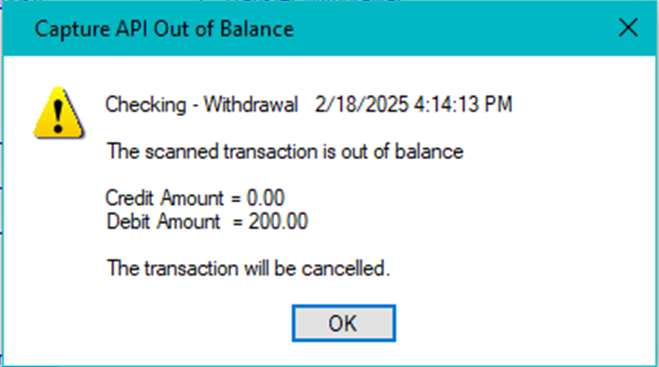
If a branch employee receives the following error after trying to run a $100 transaction in CT Teller (where it duplicates the amount / doesn't apply the credit appropriately), consult Fiserv. They may need to send a new TCS spec file to place on the SAF server.
If you have any further issues, you can contact Fiserv's Store & Forward/SCO support team at (800) 448-2851.
Was this article helpful?
That’s Great!
Thank you for your feedback
Sorry! We couldn't be helpful
Thank you for your feedback
Feedback sent
We appreciate your effort and will try to fix the article