To fix various error messages with ML or CCD Transport, follow the steps below.
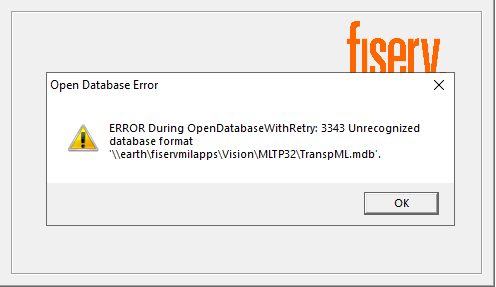
- Navigate to the directory indicated in the error message (or V:\Vision\MLTP32).
- Find the TranspML.mdb file. Sometimes it can get corrupted, not sure why this happens, but you can restore the file from a Previous Versions backup (pick a date/time of a backup from before users started reporting issues) and place the file in the live V:\Vision\MLTP32 directory. You will need to rename the existing one first to "OLD" or today's date so you can put the backed-up MDB file in the live directory with the same name.
- Have users test ML Transport again. They should be able to get logged in successfully.
Was this article helpful?
That’s Great!
Thank you for your feedback
Sorry! We couldn't be helpful
Thank you for your feedback
Feedback sent
We appreciate your effort and will try to fix the article